Icon of program: TV Cast to Miracast

TV Cast to Miracast for Windows

  • Paid
  • 3.8
    10
  • 21.9K
  • V1.0
Download for Windows

View an ad to download for free

How to Cast TV Streaming Applications to a Miracast-Enabled TV

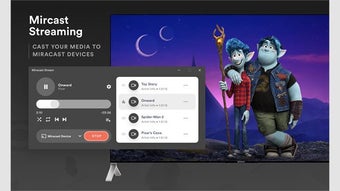
If you want to cast your content to a Miracast-compatible TV, you need a compatible smart device and a Wi-Fi network. Then, you can simply press the "Cast" icon on the smart device and tap the TV to mirror the content to the bigger screen. Then, you can watch whatever you're watching on the larger screen. Once you're done, all you need to do is connect the source device to the adapter.

Unlock your creativity with Adobe Stock

Get 10 images or 1 video with a free trial

Then, download the Miracast App on your smart phone and run the setup wizard. You need to connect your mobile device to the TV using the Miracast app. Make sure that the TV supports Miracast. You need a compatible mobile device to use it with your PC. To check if your device supports this technology, you need to open System Preferences and navigate to Displays. This will give you a list of compatible devices.

If you don't have an Android phone, don't worry - there are plenty of apps for this purpose in the Google Play Store. LetsView is one of them, which supports both Miracast and Apple's AirPlay. This app allows you to mirror your smartphone's screen to another device. EZMirror also supports DLNA, Wi-Fi, Bluetooth, and QR codes.


 0/1

App specs

Program available in other languages


Icon of program: TV Cast to Miracast

TV Cast to Miracast for PC

  • Paid
  • 3.8
    10
  • 21.9K
  • V1.0
Download for PC

View an ad to download for free


User reviews about TV Cast to Miracast

Have you tried TV Cast to Miracast? Be the first to leave your opinion!

Add review

You may also like

Alternatives to TV Cast to Miracast

Explore Apps

Latest articles

Laws concerning the use of this software vary from country to country. We do not encourage or condone the use of this program if it is in violation of these laws. Softonic does not encourage or condone the illegal streaming, duplication or distribution of copyrighted content. You are solely responsible for any use of the service.
Softonic

Is TV Cast to Miracast safe?

Score result: Clean

This file passed a comprehensive security scan using VirusTotal technology. It is safe to download.

  • Virus free
  • Spyware free
  • Malware free
  • Verified by Security Partners

    VirusTotal logo

Scan Info

Last scan
Saturday, December 9, 2023
Scan provider
VirusTotal

Softonic security commitment

TV Cast to Miracast has been thoroughly scanned by our advanced security systems and verified by industry-leading partners. This file comes from the official developer and has passed all our security checks, showing no signs of viruses, malware, or spyware. For more information, visit our Security and Trust Center

Signed in to Softonic as